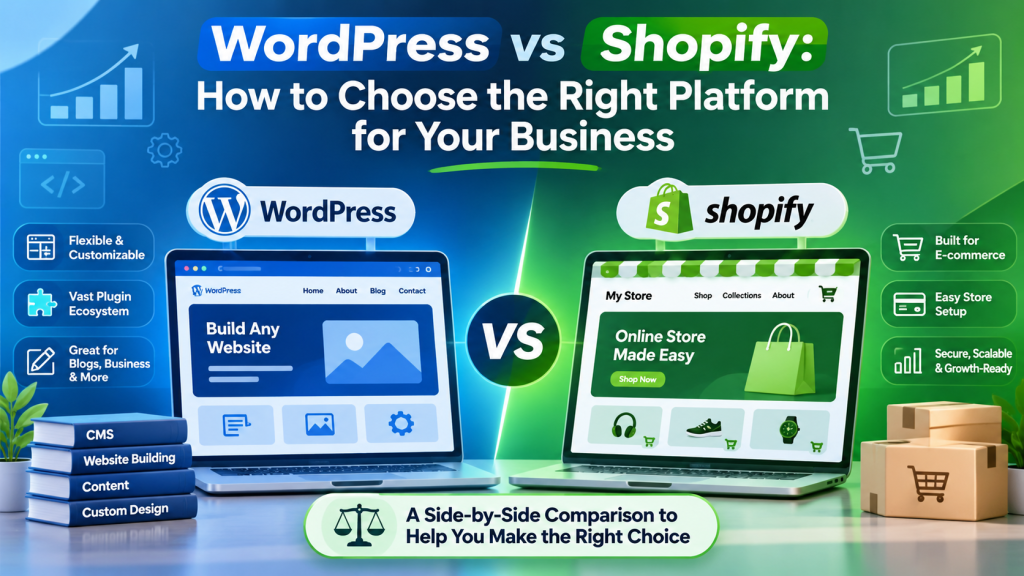

Select Shopify if you want a fully hosted solution to get your store up and running quickly. Select
WooCommerce if you have WordPress installed, want complete control over your content, design and data, and
have support in place to manage hosting and maintenance. Both can be a good option depending on your team,
products and countries.
WooCommerce and Shopify are two of the most popular online store builders. Shopify is a hosted system, which you
pay for via subscription. WooCommerce is an open source plugin that can be added to a WordPress site.
This guide will cover the differences between the two, including how easy they are to set up, how customisable
they are, how much maintenance is required, payment options, SEO and scalability. We’ll also look at common
pitfalls with using both for selling across multiple countries.
What Are They?
WooCommerce
WooCommerce is the most popular ecommerce plugin for WordPress. The main plugin is completely free and you can
add extra features by adding extensions, themes and custom development. As it is integrated into WordPress you
can manage your store and content (blogs, landing pages, resources).
Shopify
Shopify is a fully integrated hosted solution. The store includes hosting, SSL certificate, checkout and PCI-DSS
compliance. You can extend your store using themes and apps from the Shopify App Store.
WooCommerce vs Shopify
| Factor | WooCommerce | Shopify |
|---|---|---|
| Type | Open source plugin (WordPress) | Hosted solution (SaaS) |
| Hosting | Self-managed | Included |
| Set-up speed | Slower | Faster |
| Customisation | Very high (code, database, hosting) | High (within the platform. Can go deeper but restricted by Shopify rules) |
| Maintenance | Self-managed | Shopify manage updates. Apps and themes are self-managed. |
| Content & blogs | Excellent (built on WordPress) | Good (easier to manage blogs) |
| Payments | Lots of payment gateways (extensions) | Limited (Shopify Payments if available, otherwise third party) |
| Best for | Content-driven stores, custom requirements, WordPress users | Fast set-up, non-developer teams |
Ease of Use
Shopify is generally easier to set up. Once you’ve signed up, selected a theme, added products and linked a
payment method, you have a functioning store. You have very few choices to make surrounding servers and plugins.
WooCommerce requires you to set up WordPress, host and theme. After adding the WooCommerce plugin you also have
to choose payment, shipping and tax options. While this takes longer it is not difficult if you’re familiar with
WordPress. However if none of your team are familiar with WordPress you should factor in developer time.
Customisation
WooCommerce gives you complete control. You have access to templates, database, checkout logic and the whole
WordPress plugin ecosystem. This means it would be a great choice if you had unique product types, custom
pricing rules, membership content or need to integrate with your systems.
Shopify has lots of themes and apps. It can be customised to meet most stores. If you want to go deeper with
customisation (particularly checkout) you have to follow their rules and what is available.
Hosting, Security & Maintenance
Shopify includes hosting, SSL and payment security compliance. WooCommerce requires you or your developer to
manage these.
- Hosting quality – WooCommerce can vary depending on your hosting, caching and theme.
- Updates – WordPress core, themes and plugins require regular updates and testing.
- Backups & security – Set up automatic backups, firewall and malware monitoring.
- Overall – Compare the hosting, extensions/apps, developer time and transaction costs.
Payment Gateways
Depending on which country you are in, payment gateways can vary. Shopify has its own payment option (Shopify
Payments) but this can only be used in supported countries. If you’re not in one of these countries you will
need to use third party payment gateways. This can affect costs and create extra steps.
| Country | Shopify Payments | Notes |
|---|---|---|
| USA | Yes | |
| UK | Yes | |
| Switzerland | Yes | |
| UAE | Mixed | Check the official Shopify page. |
| India | No | Many sources say Shopify Payments is not available. Merchants use gateways like Razorpay or Cashfree. |
WooCommerce has lots of payment gateways available using extensions. However this will depend on your country and
provider. Always check which gateways, currencies, tax and shipping options are available.
specific payment provider’s documentation.
SEO
Both can rank well. However neither guarantee rankings. Content, speed and technical elements are more important.
- WooCommerce – Complete control over permalinks, templates, schema and content. Using an SEO
plugin like Yoast SEO or Rank Math. - Shopify – Has basic SEO options (title tags, meta descriptions, alt text, sitemaps). Some
URL structures are fixed.
Either way, always follow our on-page SEO
basics. Both platforms can suffer from being slow: big themes, too many plugins/apps and large images.
Scalability & Support
Shopify is scalable and you don’t have to worry about the servers. Great for fast growing stores. WooCommerce can
be scalable (including large product catalogues) but would require good hosting, caching and development.
Shopify has official support. WooCommerce support relies on the plugin documentation, your host and
developer/agency.
Which Should You Choose?
Shopify is best for:
- Fast set-up
- No in-house developers
- Fixed infrastructure
- Standard product catalogue & checkout
- Shopify Payments available in your country
WooCommerce is best for:
- Existing WordPress site
- Content & SEO focused
- Require custom functionality & integration
- Have developer/agency support
- Want full control over your hosting & data
If you’re struggling to decide between a WordPress based or hosted solution have a read of our WordPress vs Shopify
guide.
Checklist
- Do you have an existing WordPress site?
- Who will manage updates, backups & security?
- Which countries & currencies will you be selling in?
- Are the payment gateways available for your country?
- Do you need any custom checkout, pricing or integration?
- How important is content marketing?
- Have you compared the hosting, apps/extensions, developer time & transaction costs?
- Have you tried a demo/staging site?
Common Mistakes
- Only choosing based on the subscription. Don’t forget to compare the hosting, extensions, apps and developer
time. - Not checking whether the payment gateways are available in your country.
- Choosing WooCommerce without anyone to manage updates & security.
- Choosing Shopify and requiring heavy customisation that isn’t available.
- Too many plugins/apps can cause the site to be slow.
- No redirect plan when switching between the two.
Frequently Asked Questions
Is WooCommerce or Shopify better for a beginner?
Shopify is usually easier for a beginner. It includes hosting & security and has an easy to follow set
up. WooCommerce can be easily managed if you’re familiar with WordPress.
Is WooCommerce really free?
Yes, the core plugin is free. However you will need to pay for hosting, domain and often extensions/themes.
You will also need time to manage.
Which one is better for SEO?
Both can perform well. WooCommerce gives you more control over the structure and content. Shopify provides
basic SEO. Content quality and speed are more important.
Can I migrate from WooCommerce to Shopify?
Yes. Plan your migration including products, customers, orders & URLs. Create 301 redirects for old URLs.
Is Shopify Payments available everywhere?
No. It is only available in supported countries. Always check the official Shopify page to see if it is
available for your business. Plan for third party gateways.
Which is best for a large product catalogue?
Both can be used for large product catalogues. Shopify will manage the infrastructure. WooCommerce will
require good hosting, caching and development.
Final Thoughts
Choosing between WooCommerce and Shopify comes down to how much control you want. Shopify will manage the
infrastructure so you can concentrate on selling. WooCommerce gives you more freedom but requires more
responsibility. Choose the solution that fits your team, products & markets. Try it out.
If you need help choosing or setting up your store have a look at GateTouch’s website development services, website & application testing or contact the GateTouch team.